Wired Home Guide - Everything you need to know to turn your home into a wired home
 |
Bring your home in to the 21st Century. We show you how to maximise the use of technology in your home. All the projects shown on the site have been completed on a UK property and retrospectively fitted. We show you how to install a home network to share your broadband connection, install a multi room audio system, upgrade the capacity of your Sky+ system and more Search for the best prices on over 1 million products
| |
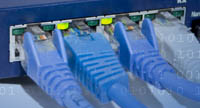
A Cat5 home network is a great place to start in converting your home to a wired home. Don't be fooled that a home network is just for computers. A home network can be used to distribute audio all round your home, TV signals, telephones and can even be a way to view your photographs on your TV. We predict that in the future homes will be built with home networks already installed. |
 |
|
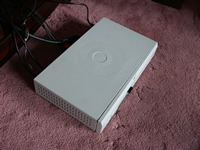 |
Our guide will show you with step by step instructions how to upgrade the disk in your Sky+ system so that you can record even more TV on the system If you want to watch Sky in more than one room we show you how to activate your Sky box to enable you to use the second RF (antenna) output on your box |
|
Installing a Plasma TV, hiding the wires so that all you see is the TV hanging on the wall. One of the key advantages of buying a flat screen TV (Plasma or LCD) is that you can hang them on the wall. However one of the disadvantages of this is the unsightly wires that connect your TV to the rest of your audio visual equipment. We show you how to hide install the flat screen TV and hide all the wires. |
 |
|
If you like music and want to listen to the same, of different music around your home then a multi room audio system is an excellent way to do this. If you have a large mp3 collection then there are a number of ways to play your music in different rooms. The netgear MP101 solution is a cheap solution to view and play your MP3s in different rooms. Compare Prices on home networking, wireless networking and Media Streaming Equipment
|
If you are more serious about a multi room audio system or would like the flexibility to be able to play the same music in some rooms and different in other rooms then the Sonos system is worth a look. We show you you to install this. We also took the opportunity to install ceiling speakers in to most rooms maximise the benefits of a central audio system. |
|
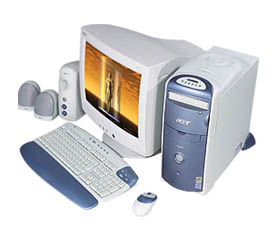
Upgrade or build a new PC from scratch. Its true that the cost of PCs have come down a lot over recent years specially if you buy online. That doesn't mean to say you can't save your hard earned money buy building a PC yourself. This gives you the advantage to choose the spec you want and only pay for the parts you need. |
 |
|
| Voucher Codes for Electrical Products | Looking for extra cash? |
|