
Activating the second RF outlet on Sky and Sky+
To
activate the second RF Output so that you can view the same Sky channel
on another TV follow these simple instructions.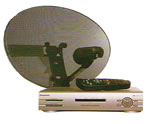
| Step 1 | |
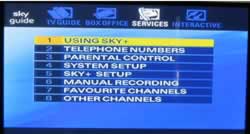
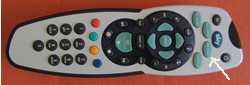
Select the Services button on your Sky or Sky+ remote control
|
 |
| Step 2 | |
| Type in 401 [select] on your key pad and you will get to the installer menu. You cant gain access to this via the drop down menu as it is designed for the Sky Engineer to use | 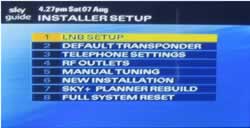 |
| Step 3 | |
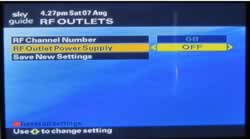
Select Option 4 to configure the RF outlets on your Sky Digibox. The option to enable the second RF output is usually set to off, no reason why other than Sky probably wanting to sell you an additional Sky box.
|
 |
| Step 4 | |
| Change the option to on and the Save new settings and you should find that your second RF outlet works fine. | 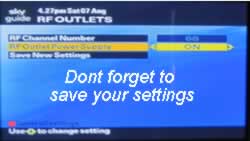 |
It's pretty straight forward really so you shouldn't have too much trouble in getting it to work ok.