
Home Networking with a router
One of the simplest ways to network more than 1 PC and connect
to the internet is via a router. Many routers designed for home
or small offices will already have network points 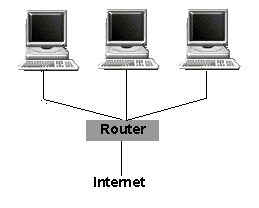 for
more than one PC. Even if your broadband modem only has one network
socket, you can buy low cost hubs which will enable many PCs to
use the same ADSL modem.
for
more than one PC. Even if your broadband modem only has one network
socket, you can buy low cost hubs which will enable many PCs to
use the same ADSL modem.
All you need to do is connect your router to your ADSL modem (it will need a RJ45 or cat5 connection) and plug your modem into your phone line.
You are now ready to connect your PCs to the router using the RJ45 points. If you are running Windows XP or even Windows 98 the home networking wizard is pretty good at setting each PC up to be part of the network.
More about wireless routers